Support
Updates
Locale X is the longest-standing app available on Google Play, continuously refreshed since October 2008.
The latest release is Locale X version 10.2.645 (release notes). Updates roll out in phases as a normal part of our release process, so it may be several weeks before the version listed here reaches you.
Locale X is a separate download from Locale 6.4.0, so you can upgrade at your own pace. See the instructions for upgrading to Locale X.
If you previously purchased the original version of Locale, you can keep using it. Locale X requires a separate download and subscription. For help with Locale 6.4.0, see the archived Locale 6.4.0 support page.
Troubleshooting
Does Locale X stop running in the background? Do your situations fail to change? Our troubleshooting page walks through steps to isolate and resolve these issues.
User Manual
Are you just getting started with Locale X? Our user manual contains a tutorial, FAQ, glossary, and tips for getting the most out of it.
Compatibility and Known Issues
Locale X is compatible with Android 9 through 17 and is tested extensively on a wide variety of devices in our lab. We maintain pages of device-specific compatibility notes and current known issues.
Contact
For help with downloads, installs, refunds, payments, account transfers, or store access, please contact the Google Play team through the Google Play Help Center. We can’t administer your Google Play account.
To manage your subscriptions, open Locale X and choose Subscriptions from the “hamburger” menu in the top left corner, or go to the Google Play subscription manager.
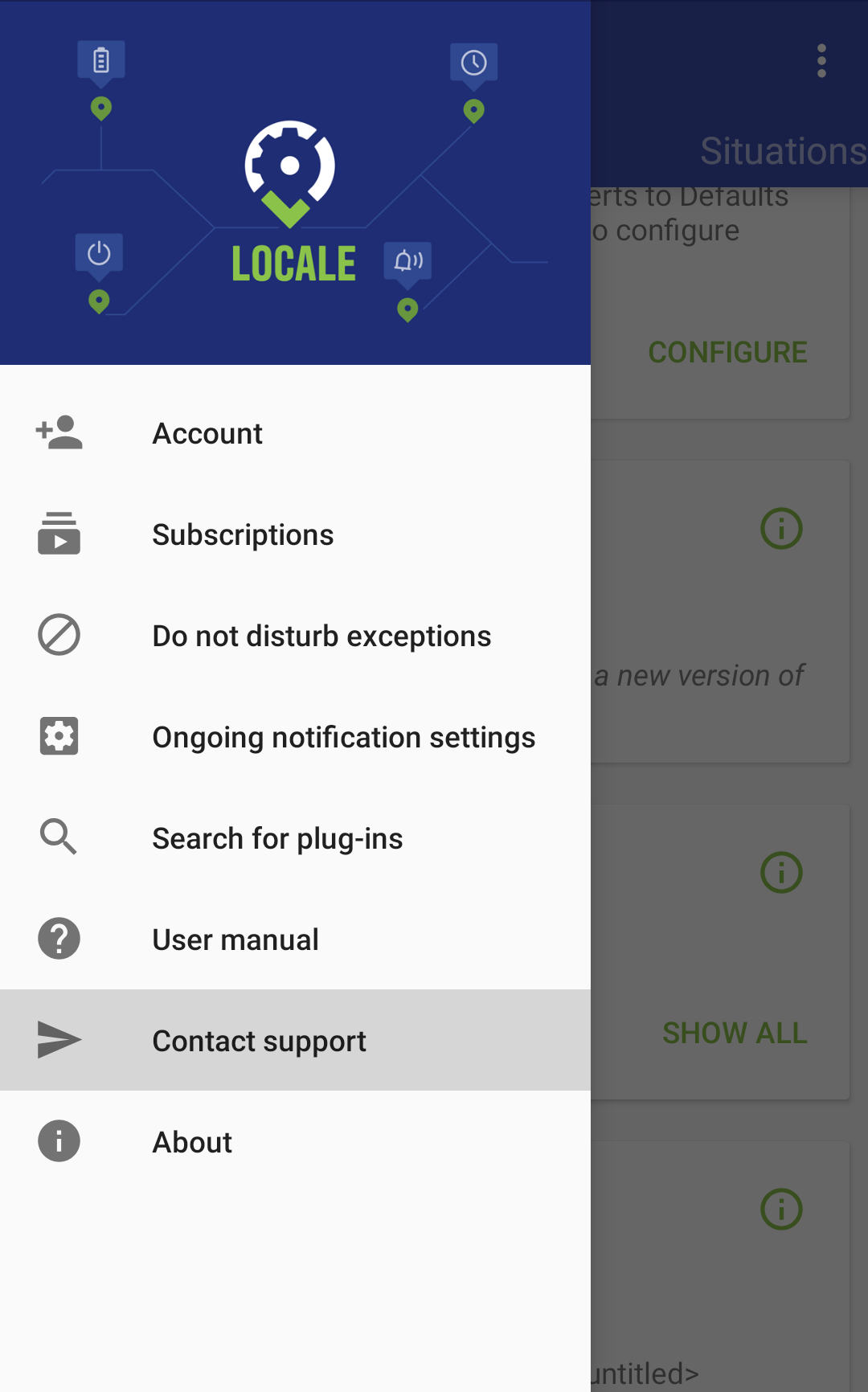 Choose Contact support from within the app to get the fastest resolution to your questions!
For help with third-party plug-ins, please contact the plug-in developer directly.
For help with Locale X, please open Locale X, tap on the “hamburger” in the corner of the screen, and choose “Contact support.” This will attach information about your setup to your question so that we can help more quickly.
You can also email up@244.am; however, you will receive a significantly faster resolution using Locale X’s in-app priority support feature.